Multitenancy in AWS with account per tenant model
How to implement multitenancy in AWS with account per tenant model
Multi-tenancy in the cloud is akin to running multiple, separate offices within a shared workspace. In technical terms, it means deploying a single software application or service that serves numerous users or clients, all isolated from one another. This approach maximises resource utilisation and cost-efficiency by sharing infrastructure and codebase.
MLT Architectures
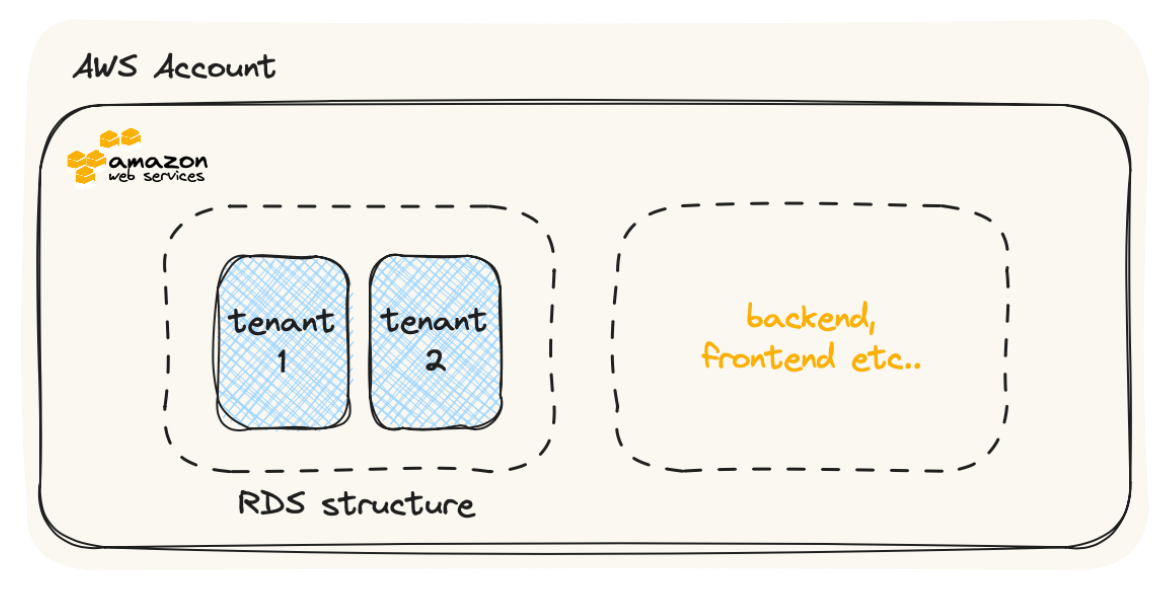
Single Database, Separate Schemas: In this approach, a single database is used to store data for all tenants, but each tenant has its own schema within the database. This architecture provides strong isolation between tenants while allowing efficient data management. It’s suitable for scenarios where tenants have similar data structures but need data separation.
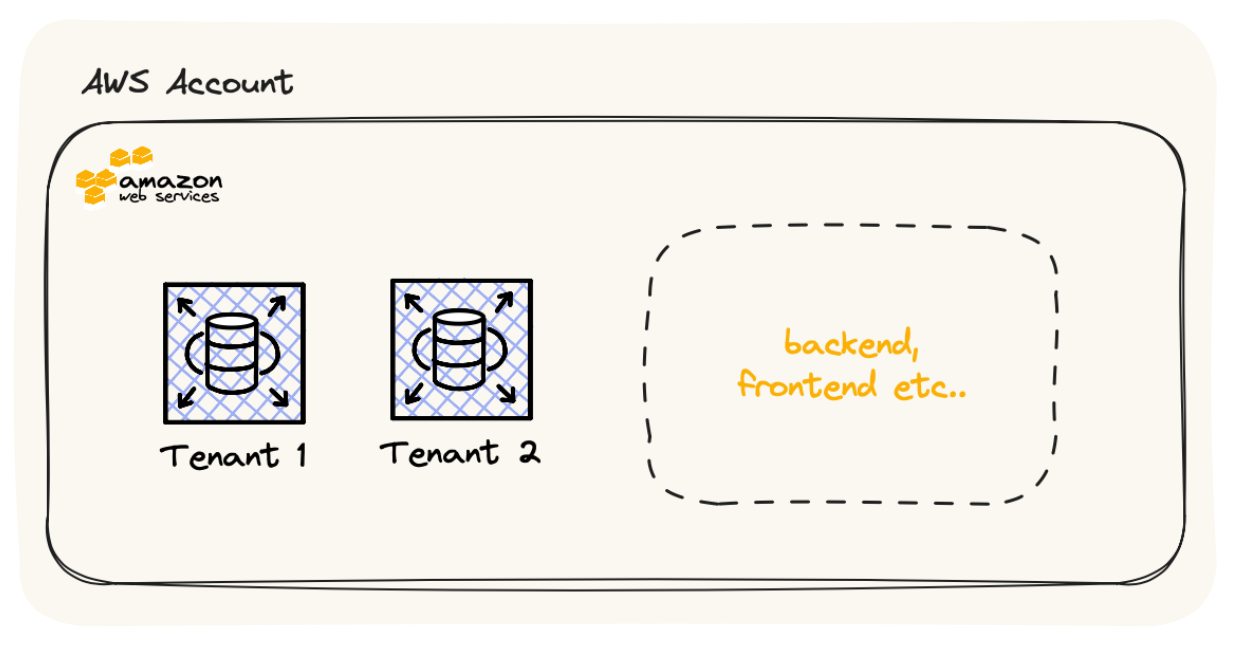
Database-per-Tenant: Each tenant has its own dedicated database instance. This approach offers the highest level of data isolation but can be resource-intensive and costly. It’s suitable for scenarios where strict data separation is required.
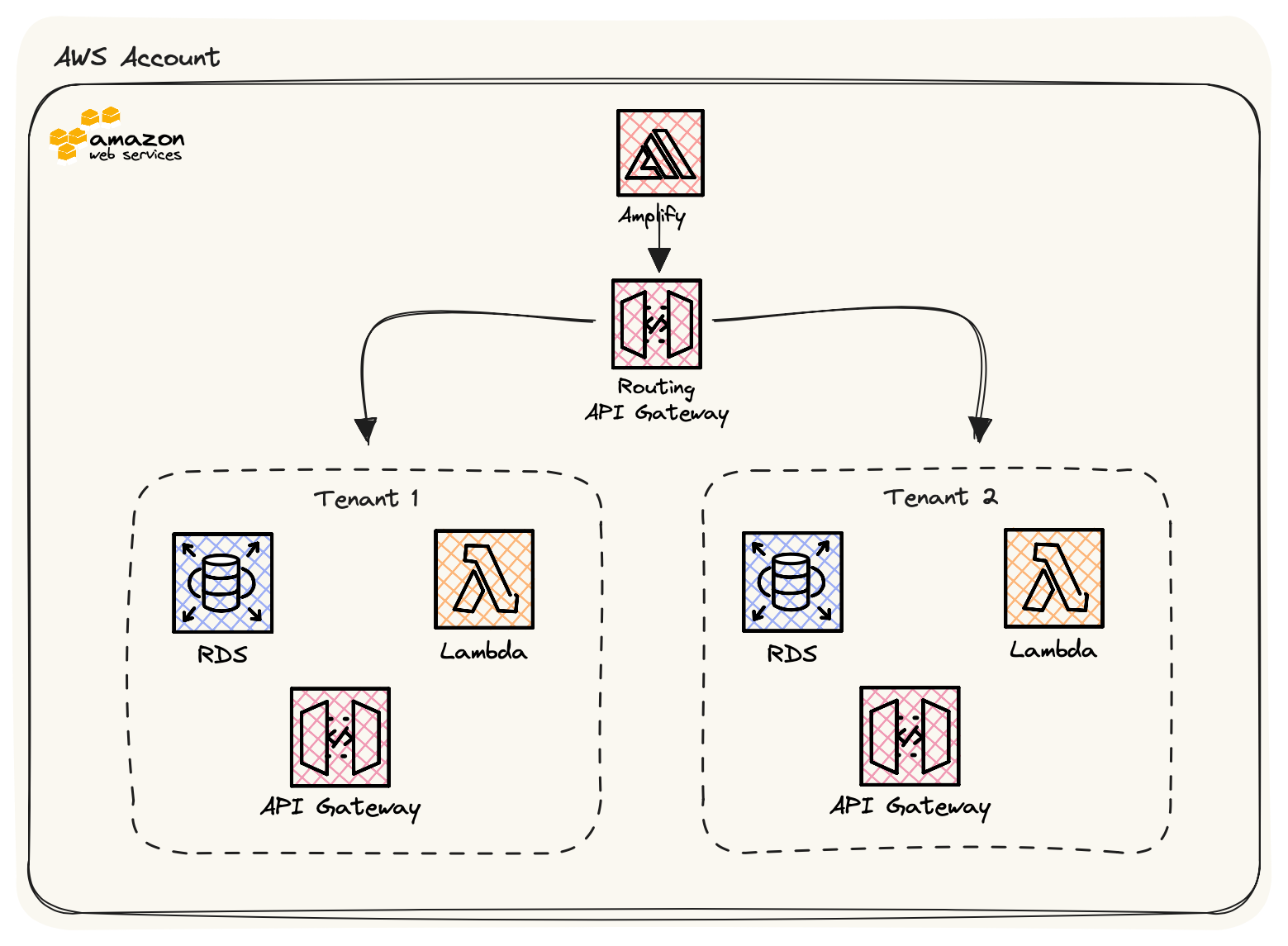
Micro-services with API Gateway: Tenants are served by separate microservices, each with its own database. An API gateway manages tenant-specific routing and authentication. This approach provides flexibility, scalability, and strong isolation.
Account level isolation: A multi-tenancy architecture with separate AWS accounts involves assigning each tenant or customer their own dedicated AWS account. This architecture ensures robust isolation, security, and scalability between tenants. Each tenant manages their AWS resources independently, with IAM policies enforcing access control. Network isolation is achieved using separate VPCs. Monitoring, billing, and disaster recovery are handled individually for each tenant, allowing for customised solutions. This approach is ideal for scenarios where data separation and security are paramount, such as SaaS applications or managed service providers.
The Approach we will be looking today is Account Level Isolation.
Multi-tenancy using separate AWS accounts is a reliable method that ensures strong isolation and security between tenants. Here’s a high-level overview of a multi-tenancy architecture with separate AWS accounts:
Tenant Isolation
We assign each tenant its own AWS account. Tenant resources, data, and configurations remain completely isolated from each other due to this separation.
Identity and Access Management (IAM)
AWS Identity and Access Management (IAM) controls access and permissions to each tenant’s AWS resources. IAM policies ensure granular access control, allowing tenants to access only their own resources.
Networking – Virtual Private Cloud (VPC) isolation
Each tenant typically has its own VPC, which provides network isolation. This prevents tenants from interacting directly with each other’s resources. Each tenant receives outbound internet access through Network Address Translation (NAT) gateways or instances.
Resource Scaling
Each tenant’s AWS account can independently scale its resources based on its own requirements and usage patterns. This ensures that one tenant’s resource demands do not impact others.
Monitoring and Logging
We use AWS CloudWatch and CloudTrail to monitor, log, and audit tenant-specific activities. This facilitates troubleshooting and security monitoring.
Backup and Disaster Recovery
Each tenant can implement backup and disaster recovery strategies based on their specific needs and compliance requirements.
Billing and Cost Allocation
You can use AWS Organizations to track individual tenant usage by providing cost allocation tags and consolidating billing across all tenant accounts.
Tenant Onboarding and Offboarding
You can set up automated processes for tenant onboarding and offboarding. When adding or removing tenants, you can automate the provisioning and de-provisioning of resources and permissions.
Cross-Tenant Functionality
You can set up a shared services or central admin account to manage functions that need to span across tenants, such as global authentication or reporting.
This architecture offers a strong separation between tenants, making it ideal for scenarios requiring security and data isolation, such as SaaS applications or managed service providers. It allows tenants to control their resources and configurations while centralizing administrative tasks.
When properly implemented, it offers a scalable, secure, and easily manageable multi-tenancy solution in the AWS cloud.